Showing posts with label instructional design. Show all posts

Wednesday, March 4, 2015

Build Upon your Creative Literacy by Enhancing your Visual Literacy

Build Upon your Creative Literacy by Enhancing your Visual Literacy


By John C. Buckingham

Here is a question that might make you scratch your head: what is creative literacy? Perhaps you have never even seen these two terms together or pondered what could be “creative” about literacy? But the question is a note worthy one as it relates to academia in particular!

Let’s put the question in different terms. What is one form of literacy that empowers or channels your creative side? And in the context of this space here, how can you leverage that literacy to enhance the learning environment for your students?

I’m going to suggest one form of literacy that is absolutely critical to engagement and learning: visual literacy. In short, visual literacy refers to the ability to find, interpret, evaluate, use and produce images. As a current graduate student at California State University Long Beach, one of the biggest challenges I’ve observed that we all struggle with is the ability to produce and present rich visual images conducive to the course material.

Given that we live in a digital world with the advent of the Internet, learners are interacting with images on a completely different scale.* We students expect images as a learning tool because it’s becoming one of the most important ways that we communicate with each other. One look at networking sites like Facebook or Reddit will immediately illustrate that fact.

So, how can you enhance your creative literacy through the channel of visual literacy? A digital tool like Adobe Photoshop will empower you to create and utilize images in a way that promotes meaningful and effective interactions. It’s true that this tool has a learning curve, but the outcomes will be well worth the effort. Making your own images also has the advantage of avoiding copyright challenges.

If, however, you are short on time, try photographing some images in relation to your subject materials for a lively discussion. Using more simplified tools like Microsoft Paint, Snagit or even xMind can give your images the edge that simple, boring text cannot. As students, we want to see your creative side show itself through visual aids.


If you use Adobe Connect for online classes, there are a number of creative, “out-of-the-box” pods that can engage students on a visual level. One pod you can visually stimulate them with is the Word Cloud Pod. This pod provides a pictorial representation of words that would otherwise be perceived as dull data. The visual dimensions of this activity are the different fonts, sizes, layouts and color schemes that convey the prominence level of keywords pertinent to the subject material.
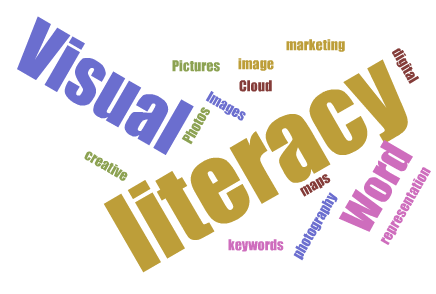

Hopefully some of these suggestions can invoke some useful cognition for channeling your creative energies and inspire you to augment your visual literacy. And as always, if you’d like an additional outlet with which to express your creative ideas, feel free consult with us at the Technology & Learning group!


Best,

John C. Buckingham

* Hattwig, Denise, Kaila Bussert, Ann Medaille, and Joanna Burgess. “Visual Literacy Standards in Higher Education: New Opportunities for Libraries and Student Learning.” Portal: Libraries and the Academy 14, no. 1 (2013): 61-89. 


Sunday, August 17, 2014

Simple Code Hack to Avoid Media Overlap

A Smidgen of Responsive Design for Faculty

by Alan Regan

Has this ever happened to you? You've embedded media in a blog, web page, or learning management system that has a right column, and your media overlaps the site's right column?


The reason? Your media is wider than the space available. Some web pages will adjust and push the right column, others will overlap like the above image shows.

In the event that you have access to modify the HTML code with your embedded media, a simple coding hack may be able to help. With one "style" addition, you can ask the page to please not display the media (image, video, etc.) beyond the limits of its content column or container.

The Code To Add: style="max-width: 100%;"


Here is an example using YouTube iframe embed code.

BEFORE

<iframe width="560" height="315" src="//www.youtube.com/embed/zpGcjQHPpTc" frameborder="0" allowfullscreen=""></iframe>

AFTER

<iframe width="560" height="315" src="//www.youtube.com/embed/zpGcjQHPpTc" frameborder="0" allowfullscreen="" style="max-width: 100%;" ></iframe>


Give it a try! I hope this will help your media stay within the bounds of your blog post, column, or frame. Works great in Sakai! If only we could convince YouTube and other media sites to add this simple code to the embed process by default...

Resources for the Tech-Curious:


Thursday, May 22, 2014

Gamification of education in video Start Point to end


Gamification of Education:

This article is about all the good resources on Gamification of Education.  Much of this has been posted previously, but I decided to make a clear guide to the top videos for Gamification Education.  The best overall is the new month long 4 episode series on Extra Credits about Gaming and education.  However, if you don't know the basics it's confusing or at least less engaging then if you were familiar with the concept.  If you’d like to apply game like learning to the class watch the following videos in the order provided and you will be ready to start your journey.   To begin lets watch a video on what Education and Game like learning is about.  Nothing is as good as the following video for that.


After, I would recommend diving a little deeper into some of the concepts.  The video below talks about the importance of student choice in classes, and shows how faculty can apply choice to classes.


Once you learn about student choice.  Watch this amazing video on failure also by extra credits.


Once you learn about how classes and homework may invoke fear in students watch this last video to learn about mastery based learning and eliminating fear in classes through the appropriate use of assessments and there interaction with failure.


If you've watched all the videos and you still want to know more about gamificaiton and education.  Now watch the rest of Extra Credits.  Here is playlist of all there videos of games and education.  Good luck and if you use this information in your class let me know.


Wednesday, April 30, 2014

Gamification and Student Choice

This VLOG is the second in my Gamification videos.  This is about Gamification and the importance of Student Choice and Grading inside a class.  I hope everyone will think and reflect about this and think of ways to implement it in a classroom.

http://youtu.be/xkEhX52hmy0

Friday, April 25, 2014

Mastery Learning and Gamification

Gamification and Mastery Learning

 by Keenan Kibrick

Today's Blog Post is the first part in multi-part series on Gamification and Education. Each of these videos will cover a small part about the concept of Gamificaiton and Education.  Each video shows a concept from video games that relates to prior models of education, and how they have been merged in schools to improve education.  Today's first video is on the topic of Gamification and Mastery Learning.   I hope you will all use the information to improve education in the classroom.  When you do please let me know about your successes so that I can compile a list of successful implementations.

Finally a special thanks to Erik Ward of the Oxnard Union High School District who taught me about Gamification and Education.  The teachers of his district were inspiring and are some of the examples in this video.   I hope you all will enjoy.

https://www.youtube.com/watch?v=5WnRgBLvn7c

Monday, April 14, 2014

Education through Video

by Keenan Kibrick


I decided to change the format this week for the blog.  Instead of reading it’s time to watch.  I have 2 videos for you that are both very good and about education.  One is quick and the other is longer, but both will make people think and reflect about the practice of education.

Extra Credits: Games in Education


Why I Watched It:   I love so many videos from Extra Credits and I think they are great educational resources.  I recently watched one about Games in Education and I wanted to compare it to the idea of Gamification (the concept) in education.

Why I wrote about it:   This video addressed a misconception about the gamification of education that I felt needed clarification. When people first hear about the concept of gamification of education their first thought is it means bringing games into the classroom.  In reality, it’s about making the classroom a game.  This video reflects why bringing games into the classroom isn’t necessarily a plan for success.  It focuses on the aspects about video games that make them so enjoyable to play, and highlights that bringing them into the classroom may hinder a games appeal.  The choice of playing a game impacts a student’s desire to play games, and the piece focuses on how a classroom requirement might reduce that choice. If video games are placed in a class for a grade or credit then the students lose that choice over their actions and the game becomes ineffective in the classroom.  Technology in education is great for the future of education, but we need to be cognizant about how we implement technology in the classroom.  Imposing technology is like imposing games, it’s not as effective as allowing technology to naturally blend into the classroom.  This is another great commentary on education and technology and I recommend all read it to spark creativity on ways to implement games in the classroom.

It’s perfect for:  Wanting to implement games in the classroom, Technology implementation best practices, Favoring pedagogy over technology and letting learning lead technology implementation


Talking Creativity with Dr. Jonathan Plucker

https://www.youtube.com/watch?v=ugcpdO2EoJI#t=17


Why I watched it:  I know the interviewer Tim Green very well.  He was my professor when I was in Graduate School at CSU: Fullerton.  He posted up this interview and at first it was just interesting about creativity, however by the end when they discussed merging technology and creativity it became a video that I began taking notes on to help apply to classrooms.

Why I kept reading it:   It was research based, and it focuses on defining the word creativity and trying to help standardize the terminology in terms of the education community.  It gives example of how to phrase questions for students to evoke creativity in their writing, and helps faculty be cognizant about question writing on assignments.  Around 16 minutes in is a great discussion about how a 15 word instruction for assignments hindered creativity for an entire class.  The realization of this gave me pause, and helped me reorganize the words I use on assignments.  20 minutes into the video they begin the discussion of technology and creative output which is also fascinating, and really helps guides the academic discussion about the online community as a place that fosters creativity.  

It’s perfect for:  Rethinking learning, wanting to improve creativity in the classroom, researched/tested methods of incorporating creativity

Wednesday, March 26, 2014

Exploring all aspects of education and technology


Exploring all aspects of education and technology

by Keenan Kibrick


I decided to change the format and instead of writing headings “why I clicked it” and “why I wrote it”.  I wanted to replace it with the actual terms that I mean.  Instead it will begin with why I read it for myself, and the second part is why I wrote about it and wanted to tell others about it.  The writing and reasons will be similar then they were before, but the section choices will better reflect what I actually write about in those sections.  I hope you all enjoy the change. 

Today’s wrap up is a mashup of educational material.  It covers a lot of topics from inquiry based learning, the role of a teacher, and gamification motivation.  While it is a mashup of material I hope the techniques will be beneficial to faculty in their pursuit of improving classroom achievement.

Role of the Teacher in a Blended Learning Classroom


Note you have to sign in to read the article, but it is just for verification.

Why I read it:   The separations into the rule, the example of the rule, and the technology Dos/Don’ts were easy to navigate.  I liked reading the Dos and Don’ts and felt they provided good tips for technology in the classroom.

Why I wrote about it:   The content embedded in the format is wonderful to read. It covers so many vast important topics of the 21st century classroom that are applicable to all classes.  It covers data driven culture, high expectations of students, relevant and engaging learning, positive feedback in classes and many more.  For each topic the separation of sections is wonderful.  The rule is simple to follow and the explanation of how each rule works are just one page.  After, they give a detailed example of a school that enforces the rule and exemplifies its success.  Finally it ends with a few quick tip dos and don’ts for the rule.  These tips are powerful and can help guide someone to success in exploring the topic.

This is a long paper compared to my brief entries, but it is valuable information about 21st century learning best practices.  I encourage all faculty to read this, and if need be (because of length) not all at once.  Try working on one tip at a time, and using the information to improve the classroom.  Use as much or as little of this as you want, but please read it because each topic is succinct and valuable to transforming education.

It’s perfect for:  Understanding 21st century learning, creating a toolkit of best practices, wanting examples of support to justify teaching techniques.


Can University Professors Benefit from K-12 Progressive Teaching Tactics


Why I read it:  I enjoyed the narrative of a college educator in a k-12 education conference.  It is interesting to see how different college and K-12 think they are, yet when they are put side by side how similar they really are.  The perspective kept me interested and the more I read the more I got hooked on the epiphanies that this College Professor had.

Why I kept reading it:   One paragraph in particular hooked me into this paper.  The assignment about apples paragraph in the middle of the paper is a must read.  It shows a perfect example of education in the future using the inquiry model, and it’s flawless in its design.  It succinctly explains how the classroom should be a place of inquiry where students should be encouraged to explore multiple topics while learning the main topic of a class.  If students can be motivated to learn through tangential exploration into side topics that lead to the main topic it’s perfectly acceptable and should be encouraged in a class.    It focused on the purpose of what students are learning and highlighting the importance of emphasizing that purpose inside a class.  This is just one example of the great ideas form this article.  The article focuses on how College faculty can benefit from High School Principles of learning.  I believe the ideas in this article are inspiring and should be lessons for all educators regardless of classroom level.

It’s perfect for:   Learning the basics of the inquiry based model, rethinking the college classroom, venturing outside the comfort zone of academia to find innovation.

Rewards of Glory and Other Ways to Keep Gamification Interesting


Why I read it:  I am always fascinated with gamification reward structures.  I know many, but they always feel stale sometimes.  The idea of rewards for glory and multiple reward systems is a great idea.  From the first bold words of rewards of glory I was hooked and wanted to implement these reward systems in classes.

Why I kept reading it:   While this article isn’t about gamification in education.  These same concepts can apply to almost any gamification experience.   Each of them is a great way to help engage students in very simple practices the drive achiever learning style students. Rewards of Glory are a great idea. People need to repeat actions in classes sometimes and motivating repetition is great for classes where repetition is a necessary practice.   Rewards of access are great for students who want to explore a class, and who want to feel rewarded for exploring outside the general class.  Further, by rewarding students with access it lets students realize there are alternative paths to success.  Each of the rewards is a great way to inspire student motivation in class and can be used in class to motivate students to perform tasks they are not usually willing to perform in a class.  I recommend faculty playing around with these different rewards and seeing how students respond to each in class.

It’s perfect for:   learning how to reward students in a class, motivating student achievement, designing a gamification based class